Customizer's Compendium - NPC Options Unlocker
baldurs-gate-3 — Mods & Enhancements
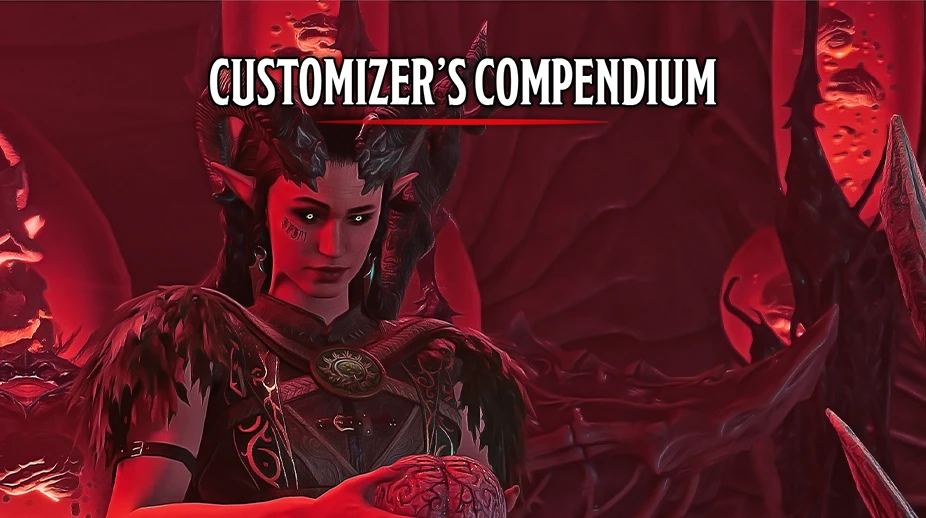
This mod expands the character creation screen by unlocking over 200 NPC-exclusive heads, hairstyles, and facial features that are normally hidden in the game's data—including heads from companions like Shadowheart, Lae'zel, and Minthara, as well as generic NPCs like the Flaming Fist and Githyanki warriors. It also adds new skin tones, eye colors, and tattoo options pulled directly from the game's 'CharacterCreation' UI assets, giving players the ability to recreate any NPC or create truly unique Tavs. Players install it to bypass the vanilla limitation of only 20 head presets and to access the full visual variety that Larian built but never exposed to the player.
📦 Full mod page on discovermods
Downloads, ratings, compatibility info, installation guides, and user reviews.
View on discovermods →Syntax
Character CustomisationExample
Downloads: 781,441 | Endorsements: 15,313💡 Notes
By AlanaSP | v1.0.5 | 15,313 endorsements
🎯 Tips & Tricks
After installing, open the character creation screen. Under 'Head', scroll past the default options—you'll see entries like 'Shadowheart', 'Lae'zel', 'Gale', and 'Wyll' with their original hairstyles. Select one, then adjust the 'Hair' and 'Hair Color' sliders to your preference. Note: these heads are tied to the companion's face texture, so you must also install 'Unique Tav' or 'Companion Face Textures' mod to avoid missing texture errors.
In the 'Tattoo' dropdown, look for 'NPC_Unique' entries—these are the body art used by NPCs like the Absolute cultists. To apply them, you must first set your character's 'Skin Tone' to a humanoid race (human, half-elf, elf). These tattoos are not compatible with dragonborn or tiefling skin, so if you're playing those races, the tattoo slot will be greyed out.
If you want to change your character's appearance mid-game, install 'Appearance Edit Enhanced' and then in the 'Mirror' menu, select 'Customizer's Compendium' as the 'Source'. This will load all the NPC heads into the mirror's dropdown. To avoid crashes, always save your game before opening the mirror, and never switch between a companion head and a vanilla head in the same session—the game may fail to load the texture.
🔧 Troubleshooting
Missing textures on companion heads (e.g., Shadowheart's head shows as a purple void)
This happens because the mod only adds the head mesh, not the companion's unique face texture. Install 'Companion Face Textures' from Nexus (search 'CFT'), which provides the .dds files for all Origin companions. Load order: place 'Customizer's Compendium' ABOVE 'Companion Face Textures' in BG3 Mod Manager, so the texture files override the base game's.
Conflict with 'New Character Creation Presets Plus' which also adds NPC heads
Both mods edit the same 'CharacterCreation' UI files. To resolve, disable 'New Character Creation Presets Plus' and use only this mod—or if you want both, use the 'Compatibility Patch' from the 'Customizer's Compendium' Nexus page, which merges the two mods' .pak files into one. Without the patch, the game will only show the heads from whichever mod loads last, causing half the options to vanish.
⚠️ Common Mistakes
- Selecting a companion head but not adjusting the 'Hair'—the companion's default hair is tied to their head, but if you change the hair to a vanilla style, the head may clip with the new hair mesh, causing floating strands or bald patches.
- Using this mod with 'Tav's Hair Salon' without proper load order—the Salon mod replaces the 'CharacterCreation' UI, so if it loads after this mod, it will overwrite the NPC head options, leaving you with zero new heads and a broken dropdown.
👍 Pros
- 15,313 endorsements
- 781,441 downloads
- Category: Character Customisation
👎 Cons
- Requires mod manager installation
- May conflict with similar mods