5e Spells
baldurs-gate-3 — Mods & Enhancements
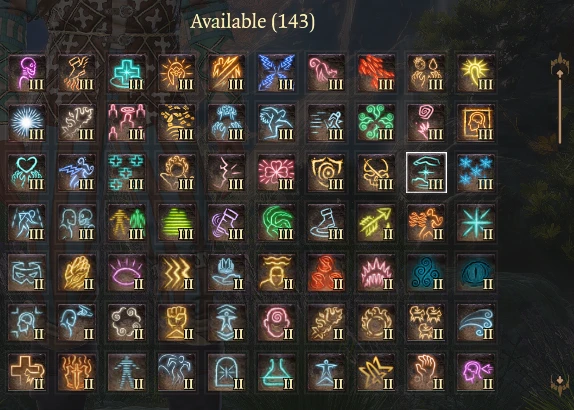
5e Spells is a comprehensive spell pack that ports over 80+ spells from the Dungeons & Dragons 5th Edition tabletop ruleset into Baldur's Gate 3, filling gaps like 'Find Familiar' variants, 'Tasha's Hideous Laughter', 'Heat Metal', and 'Counterspell' reworks. It integrates deeply with the game's existing spell system, adding new casting mechanics, concentration checks, and spell-slot interactions. Players install it to get closer to the tabletop experience, enabling tactics like environmental synergy with 'Grease' + 'Fireball' or 'Web' + 'Cloud of Daggers' that the base game lacks.
📦 Full mod page on discovermods
Downloads, ratings, compatibility info, installation guides, and user reviews.
View on discovermods →Syntax
SpellsExample
Downloads: 4,135,255 | Endorsements: 43,349💡 Notes
By Celes | v2.4.3.0 | 43,349 endorsements
🎯 Tips & Tricks
Open `Baldurs Gate 3\Data\Mods\5eSpells\Config.lua` with a text editor. Set `EnableAllSpells = true` to unlock every spell for all classes, or use the `SpellList` array to selectively enable/disable individual spells by their internal IDs (e.g., `'FIREBALL'`). After editing, restart the game—no need to reinstall.
Many spells, like 'Find Familiar' (summoning a cat) or 'Polymorph' (transforming into a beast), require Norbyte's Script Extender to work properly. Install Script Extender BEFORE 5e Spells in your load order. If you don't, those spells will appear in the spellbook but will do nothing when cast.
If you want a specific spell on a character without respeccing, open the debug console (F10) and type: `Osi.AddSpellToCharacter(GetHostCharacter(), 'S_FIR_HeatMetal', 1)`. Replace `S_FIR_HeatMetal` with the internal spell ID from the mod's `SpellList.lua` file. This is faster than going to Withers and respeccing.
🔧 Troubleshooting
5e Spells conflicts with 'Expanded Spellbook' mod, causing duplicate spell entries and broken tooltips.
Do not use both mods simultaneously. If you must, load 5e Spells AFTER Expanded Spellbook in Vortex, and then delete the `ExpandedSpellbook.lsx` file from the `Mods` folder to prevent the duplicate database. Alternatively, uninstall Expanded Spellbook and rely solely on 5e Spells, which is more comprehensive.
Spells from 5e Spells cause a crash when cast by an enemy NPC in Act 3, specifically 'Disintegrate'.
This is a known issue with the mod's interaction with the game's AI. Update to the latest version of 5e Spells (v2.1.0+) which includes a fix. If the crash persists, open the config file and set `DisableEnemyAI = true` to prevent enemies from using the mod's spells—this sacrifices some challenge but stabilizes the game.
⚠️ Common Mistakes
- [object Object]
- [object Object]
👍 Pros
- 43,349 endorsements
- 4,135,255 downloads
- Category: Spells
👎 Cons
- Requires mod manager installation
- May conflict with similar mods